
Walmart is one of those stores where most people think they already know how to shop. You’ve been going for years. You know where the frozen foods are. You grab what you need and head to the checkout. But the truth is, the average shopper walks out of Walmart leaving real money on the table every single visit – not because they’re careless, but because the store’s best savings features are just not obvious.
Behind the sliding glass doors, there’s an entire system of pricing codes, restocking schedules, app features, and membership perks that regular shoppers rarely think to use. Some of it is tucked inside the Walmart app. Some of it is written right there on the price tag – if you know what to look for. And some of it is the kind of thing a long-time employee would tell a friend, not necessarily a stranger in aisle seven.
Whether you shop at Walmart weekly for groceries or swing by a few times a month for household basics, these are the things that actually change how much you spend. Here’s what you should know.
1. The Walmart App Is More Powerful Than Most Shoppers Realize
Most people who download the Walmart app use it to check a price or browse a list. That’s barely scratching the surface. The app lets you activate push notifications for clearance events, flash sales, and exclusive mobile coupons – meaning deals come to you, rather than you having to hunt for them. App-exclusive deals sometimes beat what’s available in-store, so checking the app before you walk in can genuinely shift what ends up in your cart.
There’s also a built-in price scanner. The app has a “Check a price” feature that lets you scan any item’s barcode while you’re in the store to confirm its current price. This is particularly useful for items that may have been marked down in the system but haven’t had their shelf tag updated yet. A quick scan can reveal a much lower price than what’s showing on the label. The app also shows you which aisle a specific item is located in, which saves a surprising amount of time in a large store.
2. Clearance Tags Have a Hidden Date – and It Tells You When to Come Back
The date printed on a Walmart price tag indicates the last time that item was marked down. Items typically stay at a marked-down price for about a month before being reduced again. If the date on a clearance tag is recent, it may be worth making a second trip to catch an even bigger discount.
This rhythm of markdowns is predictable once you understand it. Clearance aisles often see their freshest price cuts on Tuesdays, when inventory changeovers happen. If you shop clearance mid-week rather than on weekends, you’re more likely to catch items that have just been newly reduced. The yellow sticker is your signal to look closer – not just at the price, but at the date.
One important update for 2026: Walmart is rolling out digital shelf labels and expects them to be installed in all U.S. stores by year’s end. With digital tags, clearance is getting harder to spot because the bright yellow stickers are being replaced – red is used for both rollbacks and clearance items on the new displays. The takeaway? Use the app’s price scanner to double-check any item you suspect might be on clearance, especially as your store transitions to the new system.
3. Price Tag Numbers Are a Code – If You Know How to Read Them
You can tell a lot about where a Walmart price is headed just by looking at the last digit. According to insider knowledge shared by Walmart employees, a price ending in 7 – like $2.97 – typically signals the original, full price.
A price ending in 5 or 0 – like $3.25 or $45.00 – usually represents the first markdown, meaning it’s already come down once but may drop further. A price ending in 1 – like $4.91 or $57.01 – has traditionally been considered the final markdown, the lowest that item will go before it’s either sold or removed from the floor.
That said, this system is not airtight. The real strategy is to get familiar with your store’s markdown schedule, use the Walmart app to double-check pricing, and never assume the sticker price is the final price. Use the number code as a starting point, not a guarantee. Pairing it with a quick barcode scan through the app gives you the most reliable picture.
4. Not All Rollbacks Are Real Deals
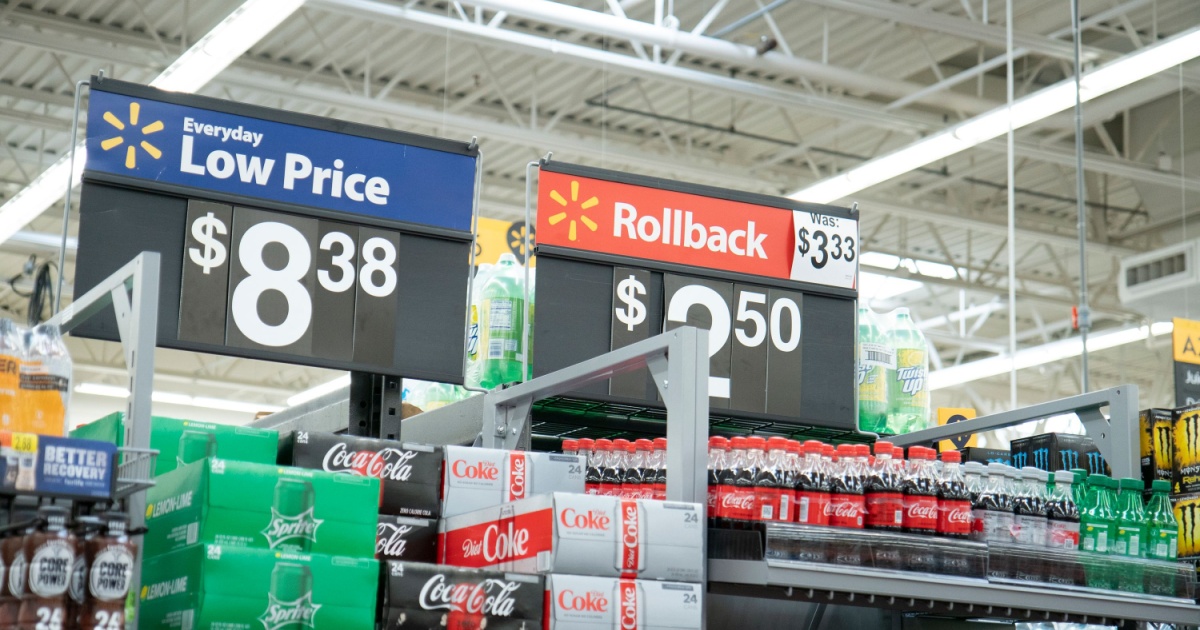
Those bright red “Rollback” signs scattered across Walmart’s shelves are easy to trust at face value. The word itself implies a meaningful discount. But there’s an important caveat here. Long-time Walmart employees have warned that not all rollbacks are created equal, and shoppers should compare supposed sale prices against previous pricing and competitor retailers to make sure they’re actually getting the best deal.
“Rollback” is simply Walmart’s term for a temporary sale. An item’s price can be rolled back for reasons including supplier discounts or overstocked inventory – and it’s temporary, usually lasting just a couple of weeks. That means the rollback price can still be higher than what the same product costs elsewhere. A quick check against a competitor like Amazon before you commit takes only seconds and can save you real money.
5. Walmart’s Price Match Policy – What It Actually Covers
Many shoppers believe Walmart will match a lower price from a competitor like Amazon or Target – but that’s a common misconception. According to Walmart’s official price match policy, the store does not match prices from any outside competitor, whether in-store or online. The only price matching Walmart performs is against items listed on Walmart.com itself, and even that is limited to identical, in-stock items purchased in a physical U.S. store.
The practical takeaway is still useful. If you spot something priced lower on Walmart.com than it shows on the shelf in front of you, you can ask a store associate to match it at the register. The item must be the same product – same model, size, and specification – and the price match must be requested at the time of purchase, not afterward. The store manager has final discretion. If you’re trying to beat a price from Amazon or another retailer, your better move is simply to buy from whichever seller has the lower price outright.
6. Electronics Clearance Is Hidden in Cabinets, Not on Shelves
Most shoppers who want clearance deals head straight to the clearance aisle. That’s a reasonable instinct, but it misses one of the best pockets of savings in the store. In the electronics department, most marked-down, high-end items are kept in cabinets near or beneath their regular shelf positions. These reduced items are rarely displayed openly and often have no visible price tags – you need to ask an associate specifically to see the clearance in those cases.
It takes a little patience. You’ll need someone to open the cabinet and show you what’s available. But shoppers who do ask are often rewarded with steep discounts on items that haven’t been advertised. If you’re looking for headphones, a tablet, a camera, or a gaming accessory, this is worth a few minutes of your time. Ask an associate directly: “Do you have any clearance electronics in the cases?”
7. The Online Inventory Tracker Isn’t Always Accurate
A frustrating reality confirmed by multiple Walmart employees is that checking an item’s availability online before visiting the store is not always reliable. The website isn’t updated frequently enough to be fully accurate, and workers regularly encounter customers who arrive expecting an item to be on the shelf – only to find it isn’t there.
The better move is to call the store directly if the item is important enough to justify the trip, or use the app’s “Check a price” scanner once you arrive to confirm real-time stock. Walmart uses artificial intelligence and machine learning to predict which products will perform best in which stores, which means inventory genuinely varies by location – what’s in stock in one store may not be in another, even in the same city.
8. “Checking the Back” Is Often a Courtesy, Not a Search
This one surprises people. When a Walmart employee offers to check the back room for an item, there’s a good chance they’re not actually looking for it so much as taking a break from the floor. That’s because most products Walmart stocks are already out on the shelves – if something isn’t there, the store is almost certainly out of it.
Knowing this saves you time. If a product isn’t on the shelf, you’re better off asking an associate to check the inventory system on a handheld device – which shows actual stock counts – rather than waiting for someone to disappear into the back for ten minutes. Asking “Can you check it in the system?” is a more direct and useful question than “Can you check in the back?”
9. The Walmart+ Membership Pays for Itself Fast If You Use It Right
Walmart+ costs $98 a year or $12.95 a month, and the company has kept that price flat while steadily adding more benefits. On its own, the math looks decent. But when you start stacking the perks, it gets genuinely compelling for regular shoppers.
Walmart+ members get free shipping with no order minimum and free grocery delivery on orders of $35 or more. Members also save 10 cents per gallon at more than 13,000 fuel stations nationwide, including Exxon and Mobil stations, as well as Walmart and Murphy locations. If you fill your gas tank weekly, that fuel discount alone can chip away at the membership cost before you’ve even counted the delivery savings. If you use Walmart grocery delivery more than once a month, the membership pays for itself on delivery fees alone.
There’s also a lesser-known version worth flagging. Walmart+ Assist offers the same membership benefits at 50% off the regular price – $6.47 per month or $49 per year – for shoppers who qualify for government assistance programs, including SNAP, WIC, and Medicaid.
10. You Can Skip the Checkout Line Entirely With Scan & Go
Walmart’s Scan & Go feature, built into the Walmart app, lets shoppers scan items directly from their cart as they walk through the store. When you’re done, you pay through the app and walk out without waiting in a checkout line.
This is especially useful during busy periods – weekend afternoons, evenings, the week before major holidays. Scan & Go is available across all Walmart locations with no limit on how many items you can purchase. After downloading the app and linking a payment method, you scan as you shop, then scan a QR code at self-checkout for a receipt – which an associate may check for age-restricted items like alcohol. It genuinely cuts the frustrating part of a Walmart trip, which is waiting.
Read More: Foods That Drain Your Health and Your Wallet
What to Do Now
The most immediately useful habits from this list come down to three things: download the app and actually use it before and during your shopping trip, pay attention to price tag dates and the final digits on clearance items, and ask smarter questions on the floor rather than waiting around.
If you shop at Walmart regularly, consider whether Walmart+ makes sense for your household. Beyond free delivery and shipping, membership also includes early access to Walmart sales and the Scan & Go feature for a faster checkout experience – which together cover most of what makes a Walmart trip annoying. If you qualify for a government assistance program, the Walmart+ Assist rate at $49 a year makes that decision even easier. None of these tips require a dramatic change to how you shop. They just require knowing where to look.
AI Disclaimer: This article was created with the assistance of AI tools and reviewed by a human editor.
Read More: Costco vs Walmart, Which Store Actually Saves You More Money